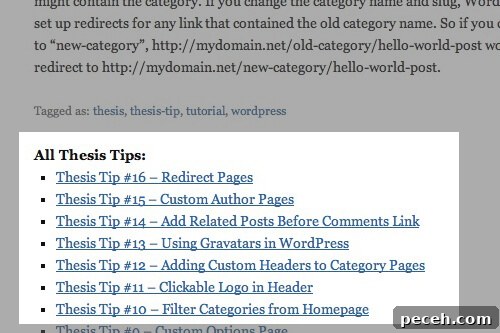
Custom WordPress queries let you dynamically list and display content from your site in practically any format. Examples include:
- Showing related posts at the end of articles
- Adding a dashboard widget for your most popular content
- Automatically listing subpages for a section of the site
How it works
When WordPress loads a page such as the blog index, it runs the main query to fetch the most recent posts and build the page. You can create additional custom queries to request any content you need. The WP_Query class is the standard way to retrieve posts using parameters you specify, and then you loop through the results much like the main WordPress loop.
For a comprehensive list of parameters, consult the WP_Query documentation and reference guides available in the WordPress developer resources.
Related Posts
Adding related posts below articles helps keep readers engaged. A simple approach is to fetch a handful of posts from the same category as the current post while excluding the current post itself. Below is a cleaned and focused example showing the key logic:
| /** Related Posts by category **/ |
| function be_related_posts_by_category() { |
| $categories = get_the_terms( get_the_ID(), ‘category’ ); |
| $category = array_shift( $categories ); |
| $loop = new WP_Query( array( |
| ‘posts_per_page’ => 5, |
| ‘category_name’ => $category->slug, |
| ‘post__not_in’ => array( get_the_ID() ) |
| ) ); |
| if ( $loop->have_posts() ) : |
| echo ‘
‘;
|
echo ‘
Related Posts‘; |
| while ( $loop->have_posts() ) : $loop->the_post(); |
| echo ‘
‘;
|
| if ( has_post_thumbnail() ) |
| echo ” . get_the_post_thumbnail( get_the_ID(), ‘medium’ ) . ”; |
echo ‘
‘ . get_the_title() . ‘‘; |
| echo ‘ |
‘;
‘;
- get_the_terms() fetches categories for the current post.
- array_shift() uses the first category when multiple categories exist; you can replace this with more advanced selection logic if desired.
- WP_Query runs a custom query asking for five posts in that category while excluding the current post.
- The loop outputs a “Related Posts” wrapper and, for each post found, includes a featured image (if present) and a linked title.
- Important: Always call wp_reset_postdata() after a custom query to restore the global post state used by the main query.
For more advanced related-posts implementations, you can explore solutions that use custom indexing or search integrations.
Popular Content
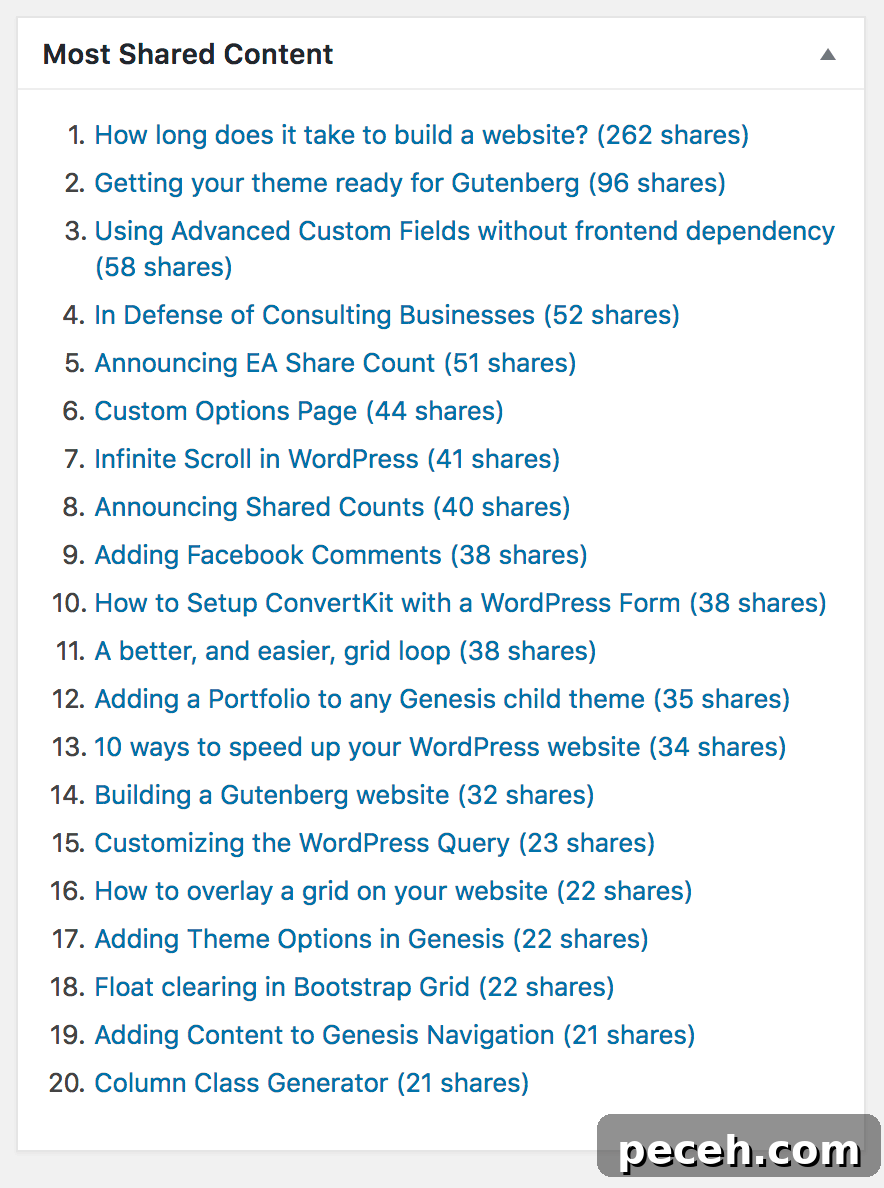
Plugins such as Shared Counts record a post’s total social shares in post meta. The plugin’s “Most Shared Content” dashboard widget is implemented with a straightforward WP_Query that orders posts by that numeric meta value.
| $loop = new WP_Query( array( |
| ‘posts_per_page’ => 20, |
| ‘orderby’ => ‘meta_value_num’, |
| ‘order’ => ‘DESC’, |
| ‘meta_key’ => ‘shared_counts_total’, |
| ) ); |
| if ( $loop->have_posts() ) { |
$posts .= ‘
|
| while ( $loop->have_posts() ) { |
| $loop->the_post(); |
| $shares = get_post_meta( get_the_ID(), ‘shared_counts_total’, true ); |
| $posts .= sprintf( ‘
‘, |
| esc_url( get_permalink() ), |
| get_the_title(), |
| esc_html( $shares ), |
| esc_html( _n( ‘share’, ‘shares’, $shares, ‘shared-counts’ ) ) |
| ); |
| } |
| $posts .= ”; |
| } |
| wp_reset_postdata(); |
In this example, the query requests 20 posts ordered by the numeric meta key shared_counts_total to show items with the highest share totals first. The loop then builds a simple ordered list showing title and share count.
Display Subpages
Listing subpages for the current section is useful for site navigation. A common pattern is to find the top-level page of the current section, then fetch and display its child pages. The BE Subpages Widget follows this approach and marks the active page so you can style it.
| $parents = array_reverse( get_ancestors( get_the_ID(), ‘page’ ) ); |
| $parents[] = get_the_ID(); |
| $loop = new WP_Query( array( |
| ‘post_type’ => ‘page’, |
| ‘post_parent’ => $parents[0], |
| ‘orderby’ => ‘menu_order’, |
| ‘order’ => ‘ASC’, |
| ) ); |
| if ( $loop->have_posts() ) : |
echo ‘
|
| while ( $loop->have_posts() ) : $loop->the_post(); |
| $class = ‘menu-item’; |
| if ( get_the_ID() == get_queried_object_id() ) |
| $class .= ‘ current-menu-item’; |
| echo ‘
‘; |
| endwhile; |
| echo ”; |
| endif; |
| wp_reset_postdata(); |
Here we use get_ancestors() to determine the current page’s hierarchy, identify the section’s top-level page, and query that page’s children ordered by menu order. While looping, comparing get_the_ID() (the child page from the custom query) with get_queried_object_id() (the current page in the main query) lets us mark the active item for styling.
These examples demonstrate how flexible WP_Query is for building custom lists: related posts tied to categories, a popularity-sorted dashboard list using post meta, and dynamic subpage navigation. Always remember to reset postdata after each custom query to avoid interfering with the main loop.